


How to Make Working with Bookmarks Comfortable Using LinksBox?
Exploring why standard browser bookmarks slow down your workflow and how a dedicated app returns control over your information.
iOS and macOS versions are currently in development.
Exploring why standard browser bookmarks slow down your workflow and how a dedicated app returns control over your information.
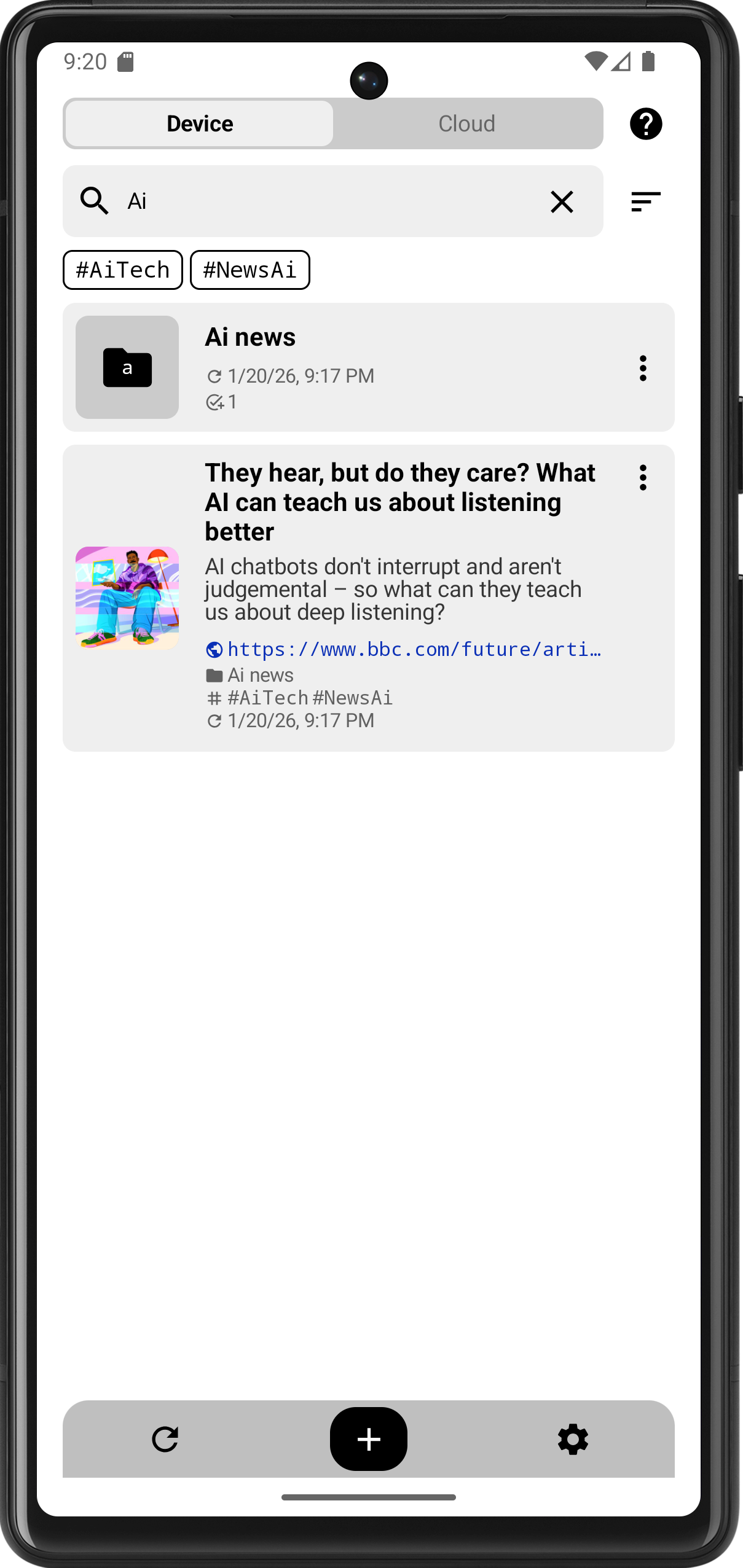
Working with information today is an endless stream of links. Standard browser bookmarks stopped coping with this load long ago. Let’s break down the main problems everyone faces:
LinksBox organizes not only local but also cloud storage. You add a link on any of your devices, and after updating on another device, it is immediately available.
In some browsers, synchronization works with a delay that doesn’t fit the rhythm of life: you saved a link at work, you’re heading home, and it turns out to be unavailable at the right moment. With LinksBox, everything is at your fingertips instantly.
On desktop browsers: Often, the bookmark list opens in a separate tab. This creates an inconvenience: you opened the list, followed a link, did some work, and now you need to go back for the next one. Navigating through a pile of open tabs back to the list is quite a challenge.
Using LinksBox as a separate window gives a significant boost to speed. You switch via Alt + Tab without losing context or wasting time rushing between browser tabs. Even if this saves a couple of seconds at a time, the total profit when working with a large volume of data is enormous.
On smartphones: Here, working with bookmarks is a double pain. You need to click the “three dots,” go into the menu, find the folder… and for the next link, start everything from scratch. LinksBox is a separate application. You simply switch between tasks and immediately select the link you need. The link will open in your favorite browser in one click.
Often in browsers, the user sees system sections like “Bookmark Bar” or “Mobile Bookmarks.” This creates an extra level of nesting. We believe that you should immediately land in your own structure.
The folder system itself is the base, but it’s not enough. LinksBox implements two levels of markup:
Short link titles often lack specifics, and on mobile devices, they are cut off entirely. If you have many materials saved from one domain, it feels like you are storing duplicates.
LinksBox allows you to add a description for each link. You can leave the text from the metadata or write your own comment so you remember exactly why that link was saved.
LinksBox is not just a list of links, but a tool for those who value their time. Try moving your work materials to a separate space and feel the difference in workflow speed right now.
iOS and macOS versions are currently in development.